
A plant identification app once told me, with confidence, that a potentially toxic plant was a culinary herb.
I know because one of them did. I took a photo of a seedling in my garden. The app told me it was basil. I left it to grow, watched it mature, and worked out, eventually, that it was annual mercury. Mildly toxic if you eat it. Basil isn’t.
The app didn’t offer alternatives. It didn’t qualify its answer. It just said: basil.
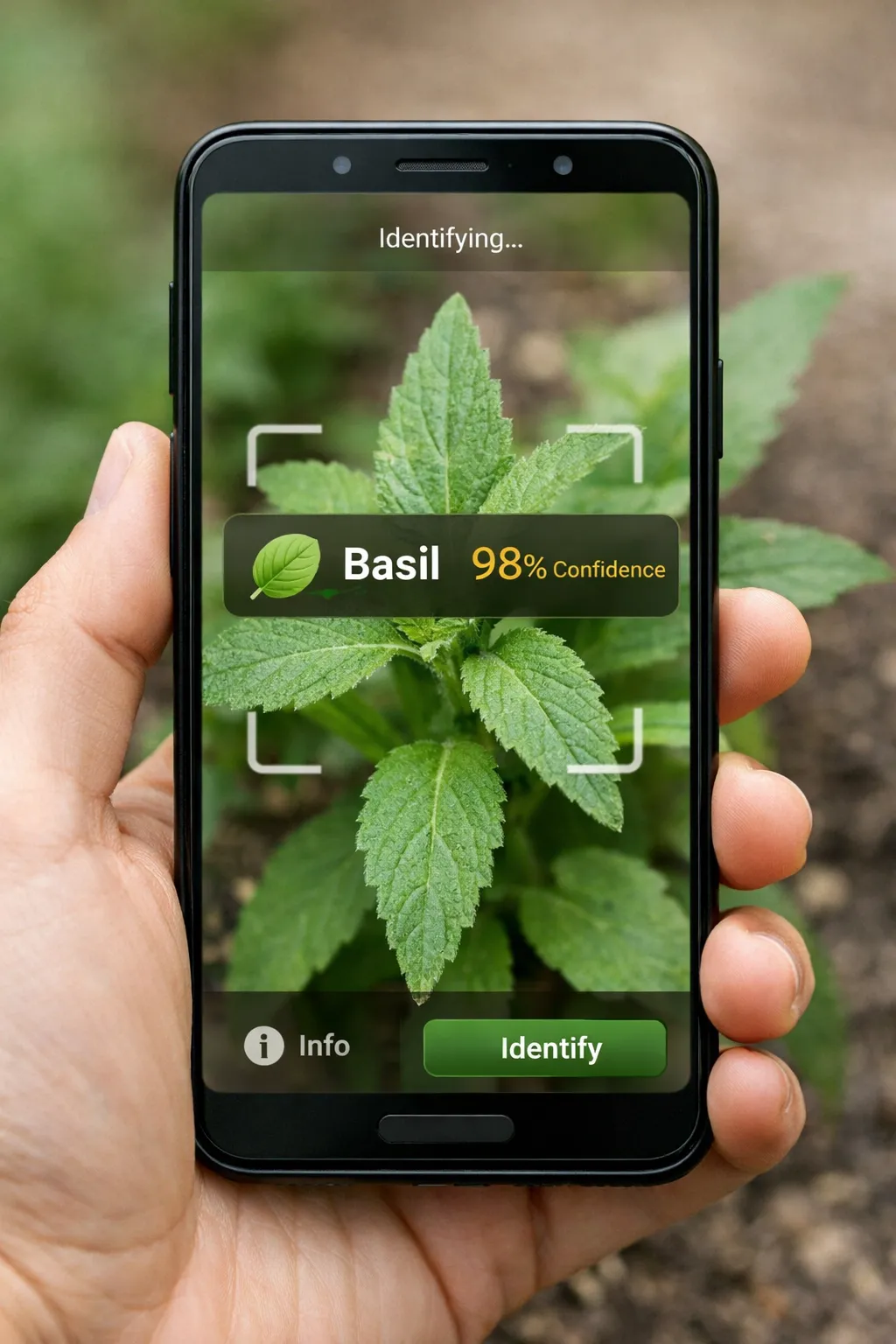
I identified the plant correctly in the end. What stayed with me was not the mistake itself, but the certainty of the answer.
I spent nearly a year building a plant identification system from scratch to understand why.
The problem was harder than the interface made it look. A phone photo can hide the growth stage, the useful features, and the uncertainty in the answer.
So what does a plant app have to do? It is not enough to name the plant in the easy case. It also needs to handle the cases where the answer is uncertain. A seedling, a damaged leaf, a half-lit stem, or a plant outside the training set should not get the same treatment as a clear photograph of a flower in full sun.
This series is a record of that process: what worked, what failed, and what took longer than I expected.
Who’s writing this
I’ve spent fifteen years in engineering, including five years leading Site Reliability Engineering (SRE) teams that support AI systems in production. I’ve built smaller machine learning (ML) systems before, from perceptrons to deep learning models. I am not a computer vision specialist, and I am not a botanist.
I knew enough to take the problem seriously, and not enough to assume I would get it right first time.
Why this is harder than it looks
At first glance, plant identification looks like a standard computer vision task: take an image, classify it, then return a label.
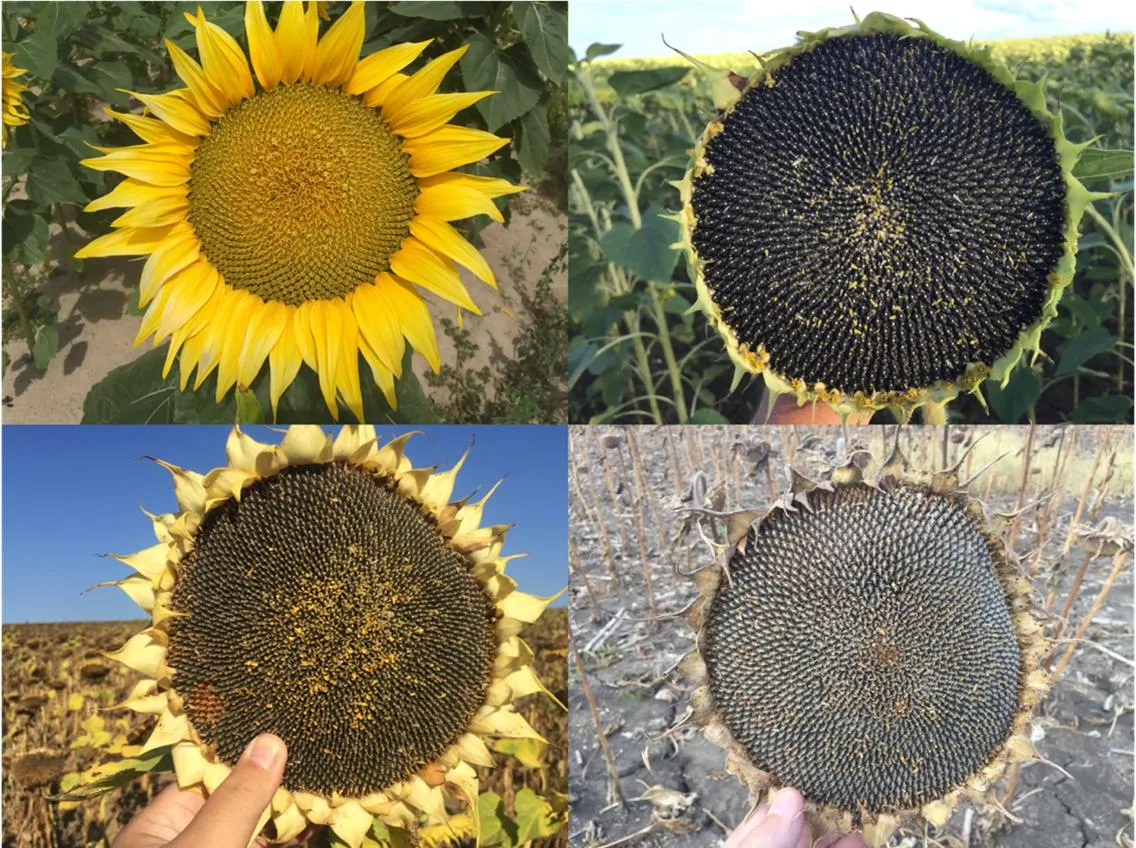
The same sunflower can look completely different as a seedling, a mature plant, a flowering head, and a dried seed stage. It is like being asked to recognise the same person from a baby photo, a blurry CCTV still, and a photograph from a costume party. A model trained mostly on flowers may fail when the user photographs a seedling, and the user will not know whether the answer is weak.
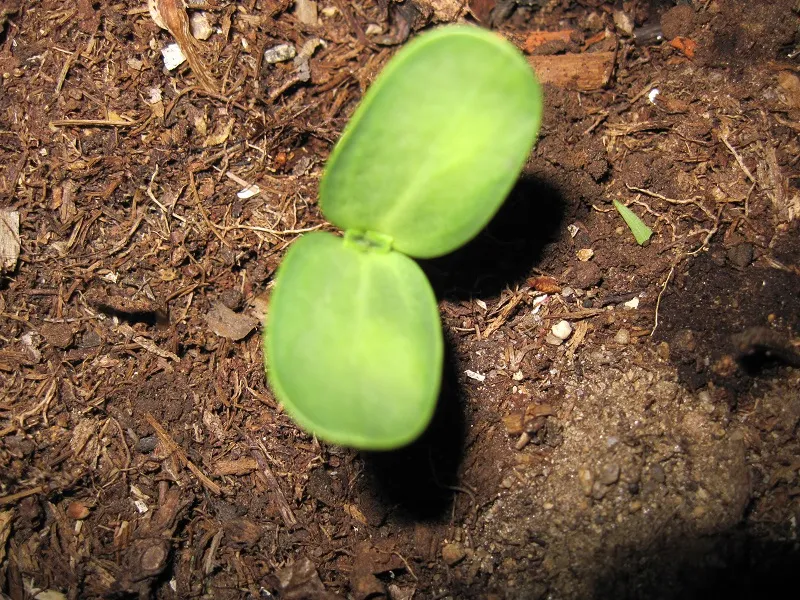
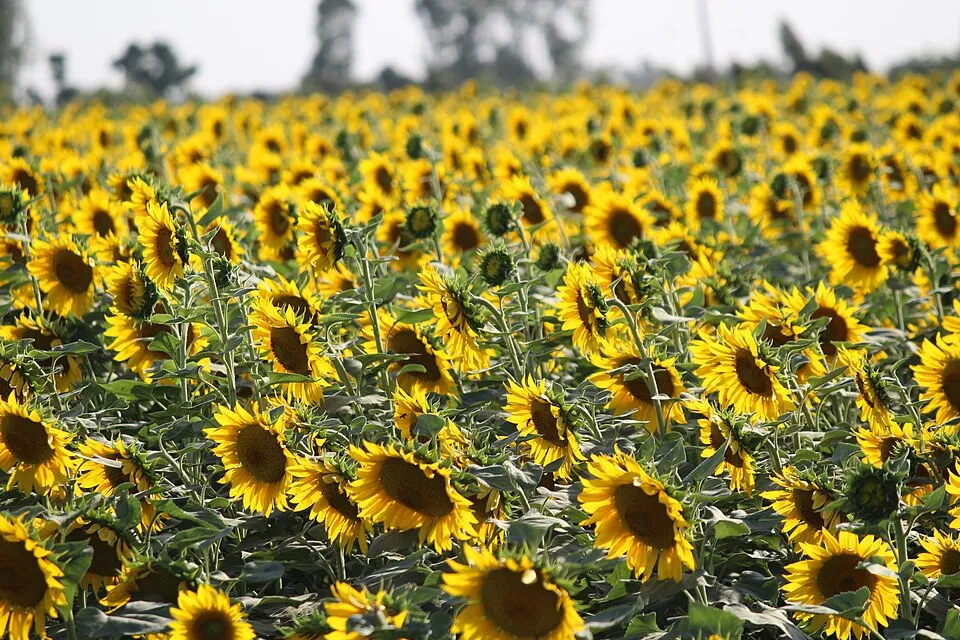
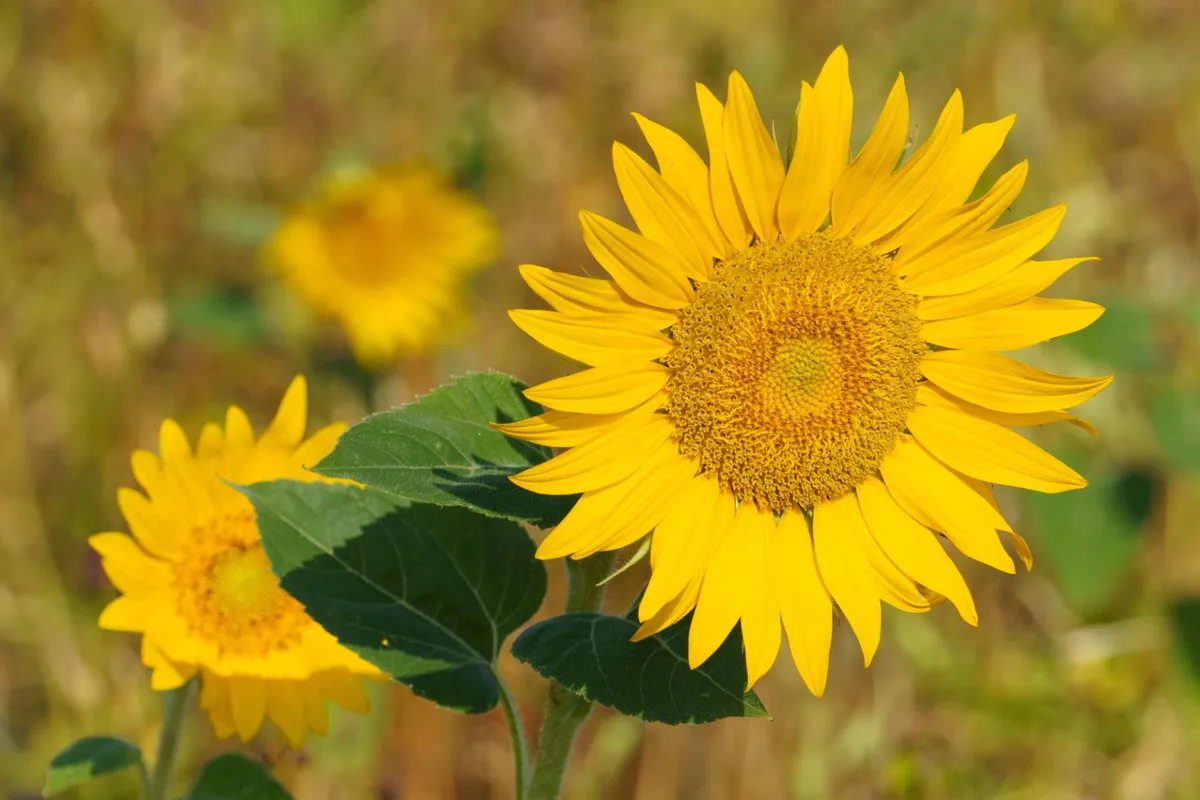
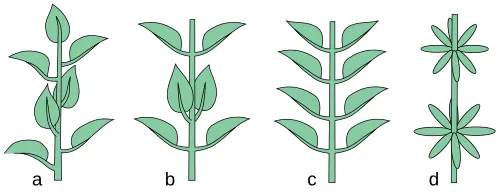
The scale is unforgiving. Most image classifiers deal with tens or hundreds of categories. A useful plant identification system needs thousands of common species, plus a long tail of rarer species that matter to gardeners, growers, and plant owners. Many of those species differ only in subtle ways: a slightly different leaf edge, a minor vein pattern, a different arrangement on the stem. These are distinctions botanists spend years learning. We expect a model to get them right from a phone photo in a fraction of a second.
Real photographs add another problem. People do not take clean, well-lit, centred photos. They take pictures in bad light, at awkward angles, with cluttered backgrounds and half the plant out of frame. The system still has to return a useful answer.
There is also a mismatch in the task itself. Most image models are trained to classify: to choose from a fixed set of labels. Humans often identify plants by comparison. When someone holds up their phone, they are usually asking what the plant looks most similar to, and how confident they should be. That is a different problem from choosing the highest label in a classifier.
It is closer to being handed an unfamiliar leaf and asked what it is. You do not only ask “which species is this?” You ask what it resembles, which features support that guess, which features are missing, and whether the answer is strong enough to use for care advice. That difference became important later.
Why I decided to build it anyway
I’ve always had a hobbyist interest in plants and gardening. I’m not a specialist, but I garden enough to notice when something looks wrong and want to understand why.
When I used existing apps, I kept hitting the same limitation. They could usually tell me what a plant was. They couldn’t reliably tell me whether it was healthy, what was wrong with it, or what I should do next.
The existing apps were technically impressive, but they did not feel complete for the way I wanted to use them.
I decided to build one myself because a solved problem should not feel that unreliable to use.
This project was different from the work I usually do. I was not maintaining or extending someone else’s system. I was building the model, the data pipeline, the product decisions, and the way the result would be used. The plan was a full mobile app for gardeners and plant owners, with identification, health checks, disease support, growth stage analysis, and care guidance.
The hypothesis
Plant identification isn’t a general reasoning problem. It’s a perception problem with hard constraints: latency, reliability, privacy, cost.
I started this project partly to test a hypothesis I’d been forming over years of working on production AI systems. The default way people build AI systems today is to reach for a single large model, run it in the cloud, and treat it as a general solution to a wide class of problems.
I’d come to suspect this is the wrong default for systems that have to work under real-world constraints. The bigger the model, the more it abstracts away from the specifics of any particular task. The more cloud-dependent it is, the more it inherits the cloud’s downsides: latency, cost, privacy exposure, vendor risk. The more general it is, the less it can be optimised for the specific job in front of it.
My hypothesis was that AI systems operating under real-world constraints should be built from composed, specialised components rather than one monolithic model. Smaller models can do specific jobs well, then a surrounding system can decide how to combine their outputs and how much confidence to place in them. That kind of architecture has been standard practice in software engineering for decades. The current AI moment often treats it as optional.
I didn’t know if that was actually true. This project was a way to find out.
The mental model was simple enough. Use different components for different jobs, then decide how much each result should be trusted. That is less dramatic than one giant model doing everything, but it is closer to how reliable systems usually get built.
This project became the test. The series that follows is what I found.
Why on-device matters
Almost every existing solution runs in the cloud. Capture image, upload to a server, run a big model, return the result. It’s the easiest way to build this kind of system. It’s also a bad match for how the product is actually used.
Plant identification happens in gardens, on allotments, on hikes, and in greenhouses. Signal can be patchy or absent. If your app depends on a server, the moment the user needs it most is often the moment it stops working. That alone is reason enough to take on-device seriously.
Every image sent to a cloud service can carry metadata: your location, your surroundings, sometimes the inside of your home. On-device identification avoids that problem instead of promising to handle it carefully. No uploads, no tracking, no backend dependency to get breached later.
There’s an economic argument too. Cloud inference has a real per-request cost, and for a subscription app that cost scales with engagement. The more your best users use the product, the more they cost you. On-device inverts that: once the model is deployed, inference is effectively free, and heavy users become your cheapest users instead of your most expensive ones.
Beyond the unit economics, you’re also not tying your product’s viability to a handful of providers whose pricing you don’t control. You don’t need to predict where compute costs go next; you just need to notice that the dependency exists.
On-device means hard constraints: limited compute, limited memory, strict model size budgets. You cannot scale your way out of a problem by renting a bigger GPU. You have to design carefully, make trade-offs explicit, and understand what the system is doing. Those limits are uncomfortable, but they can also force better engineering.
Doing this without cutting corners
AI has a trust problem with the public, and a lot of that trust has been burned by how large companies treat other people’s data and intellectual property. Even small ML projects can be tempted to gloss over this. I didn’t want to.
The rule I set for myself was simple: only open datasets with clear licences, respect the terms of service of any external source, and pay for access where paying is the right model. For APIs, that means respecting rate limits and not scraping aggressively, treating shared infrastructure as shared.
Technically accessible is not the same as fair to use. Holding that line made the project harder. It also made it something I’d be willing to put my name on.
What I actually wanted to build
I wanted to build a product that could answer the questions people ask when they are standing in front of a plant holding their phone:
What is this? Is it healthy? Does it have a disease? What growth stage is it in? What do I do next?
I wanted useful answers, no latency, no connection required, all running inside a pocket computer’s thermal and memory budget. That combination is what made the problem interesting, and much harder than it looked.
What this series is about
This is not the polished tutorial version. It is what happened when I tried to build an ML system of this scope from scratch: what worked, what failed, what I misunderstood, and what took longer than I expected.
I went into this thinking the hard part would be building the model. The first thing that broke was the data.
To be continued.
Images sourced from Wikimedia Commons (https://commons.wikimedia.org):
- Sunflower seedling. Rob Duval, CC BY-SA 4.0.
- Sunflower vegetative plant. Anshul24Sharma, CC BY-SA 4.0.
- Sunflower flower. Wikimedia Commons contributors, CC BY-SA 4.0.
- Sunflower seed head. Wikimedia Commons contributors, CC BY-SA 4.0.
- Leaf arrangement diagram (alternate, opposite, whorled). Agnieszka Kwiecień, GFDL 1.3.
Licences: CC BY-SA 4.0 and GFDL 1.3